

Wiki / Other mods
Other mods
Busy Bodies does not need to know a mod to show its screens. If it opens a screen, the panel shows it.
What works out of the box#
- Live copies of any screen. The live picture is a copy of what is on the player's screen, so another mod's machine, backpack or menu shows exactly as it looks, modded items and all.
- The right icon on the panel. From farther away the panel shows the mod's own block or item: the machine being used, or the item in the player's hand.
- Flying items. Modded items fly between a container and the panel like any other.
- Arm poses. Items with their own pose can be listed in the arm rules file, one by one or a whole mod at once.
Tried first with Ex Nihilo Reborn#
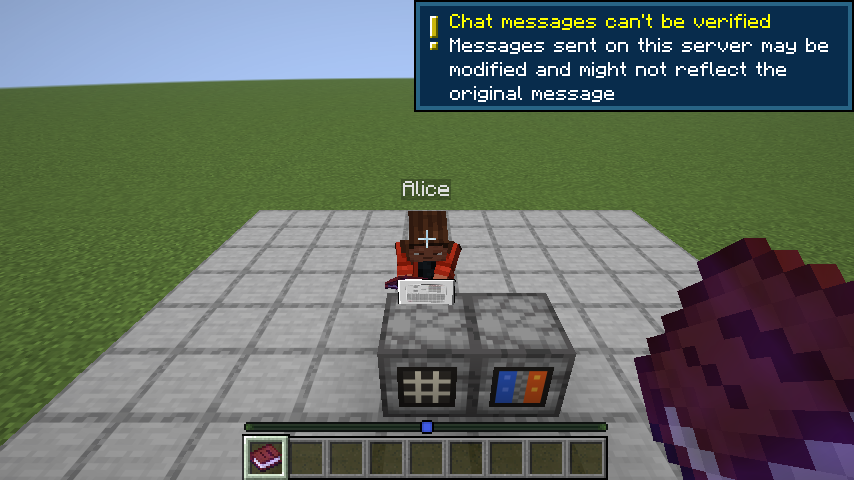
Ex Nihilo Reborn was the first mod Busy Bodies was checked against. Its auto sieve and cobblestone generator each get a live copy of their screen, and the panel icon is the machine itself.
How the icon is picked#
- If the menu is named after an item (a "cobblestone generator" menu and a cobblestone generator item), that item.
- Otherwise the block the player is using, when it comes from the same mod as the menu.
- Otherwise the item in their hand, when it comes from that mod.
- Otherwise a barrel, which viewers can hide with the Unknown screens switch.
Hiding a mod's screen#
A screen that shows something private can be kept out of live copies with one line in busybodies-screens.json:
[ { "screen": "*MailboxScreen", "crop": "none", "radius": 0 } ]On Paper#
Paper servers do not run mods, so there are no modded menus to show there. Client-only mods' screens, such as a mod list, are still copied.
Made a mod and something looks off with Busy Bodies? Tell me, with the name of the screen, and I will look at it.
Written for version 0.2.0 · Minecraft 26.3