

How-to guide
From download to your first speech bubble, for players and for server owners. About five minutes.
Check what you are running#
Busy Bodies 0.2.0 is made for Minecraft 26.3 on Java 25. Players need Fabric (with Fabric API) or NeoForge. Servers can run Fabric, NeoForge or Paper.
Download the right file#
The Fabric and NeoForge files are on the Busy Bodies page on CurseForge. The Paper plugin has its own page, because CurseForge lists plugins apart from mods.
You are File Goes in A player on Fabric busybodies-fabric-26.3-0.2.0.jaryour modsfolder, next to Fabric APIA player on NeoForge busybodies-neoforge-26.3-0.2.0.jaryour modsfolderA Fabric or NeoForge server the same file as the players the server's modsfolderA Paper server busybodies-paper-26.3-0.2.0.jar, from Busy Bodies for Paperthe server's pluginsfolderThe server needs it too. Without Busy Bodies on the server, players with the mod only see who has dozed off. Players without the mod can always join; they just see the game as usual.
Players: put it in#
In the CurseForge app, open your profile and press Install on Busy Bodies. By hand, drop the file into the
modsfolder of your game and start it. On Fabric, Mod Menu is optional and adds a settings button.Server owners: put it in and restart#
Drop the file into
mods(Fabric, NeoForge) orplugins(Paper) and restart the server. The first start writesbusybodies-server.jsonwith the default settings. When a player with the mod joins, the log says so:[BusyBodies] Alice joined with the modTry it with a friend#
Stand within ten blocks of each other.
- Press T and type: your friend sees the bubble and your hands.
- Open a chest: they see the panel, your mouse and the items you move.
- Press Esc: your panel shows a clock.
- Stand still for five minutes and you doze off. To see it sooner, an operator can run
/busybodies config sleepAfterSeconds 10. - Press F5 to see your own poses.
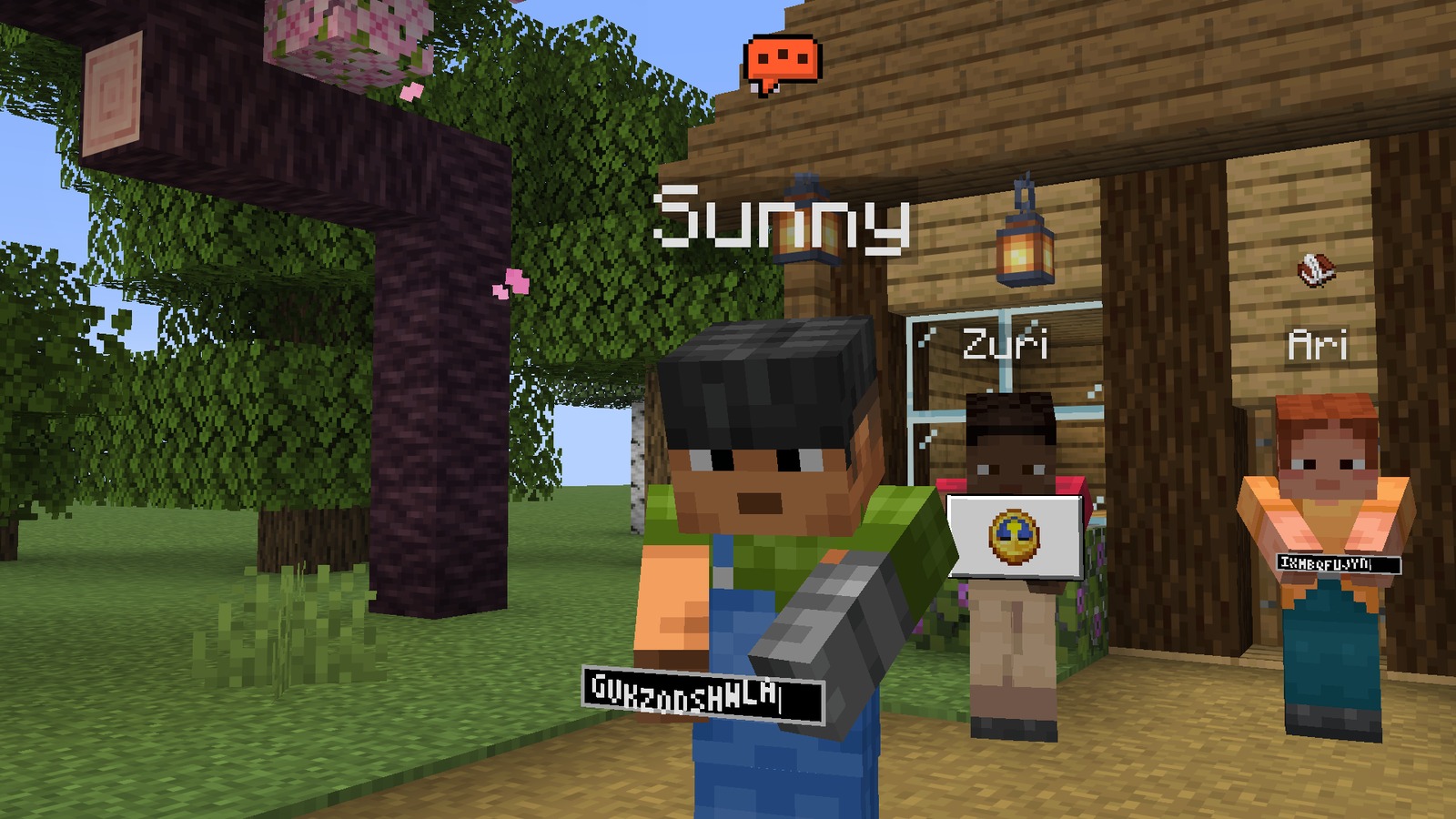
Sunny in full flow. The bubble turns orange when someone types fast. Behind her, Zuri is in the pause menu and Ari is writing a book. Pick your privacy#
Run
/bb settings(or use the Mods list) and choose a preset, or flip single switches./bb privacy basicsdoes the same from chat. Every switch is explained here.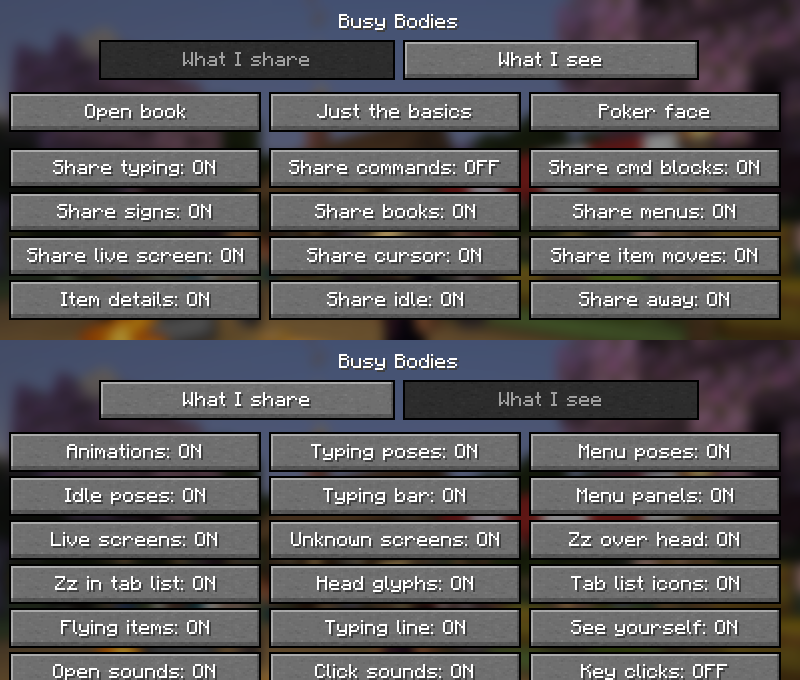
Both pages of the settings screen: what I share, and what I see. Tune the server#
Operators change settings live with
/busybodies config, for example:/busybodies config idleChatNotice true /busybodies config detailDistance 16 /busybodies config forceOff ["screen"]The same settings live in
busybodies-server.json. The full list is here.
If something does not show#
| What happens | Why |
|---|---|
| I only ever see players fall asleep | The server does not have Busy Bodies. Ask the owner to add the mod or the Paper plugin. |
| I see nothing on one player | They do not have the mod, they chose Poker face, or they are invisible or in spectator mode. |
| I see a panel with an icon, but no live copy | You are more than 10 blocks away, they switched "Share live screen" off, or the screen is one that is never copied. |
| Typing a command shows nothing | On purpose. "Share commands" is off until you turn it on. |
| Nothing shows for anyone | Check forceOff in the server settings. |